Here are some helpful considerations when filing a bug:
-
What version of apnscp are you running?
[root@cpanel2 ~]# cpcmd misc_cp_version
revision: 8232125102b820206a1ebdc8e285584f00b2c8dd
timestamp: 1769988959
ver_maj: 3
ver_min: 2
ver_patch: 0
ver_pre: 823212510-dirty
dirty: true
debug: false -
Which version of RHEL or CentOS are you using?
Rocky Linux release 10.1 (Red Quartz)
- Can you reproduce this bug reliably? Provide steps. If not, provide steps to the best of your recollection.
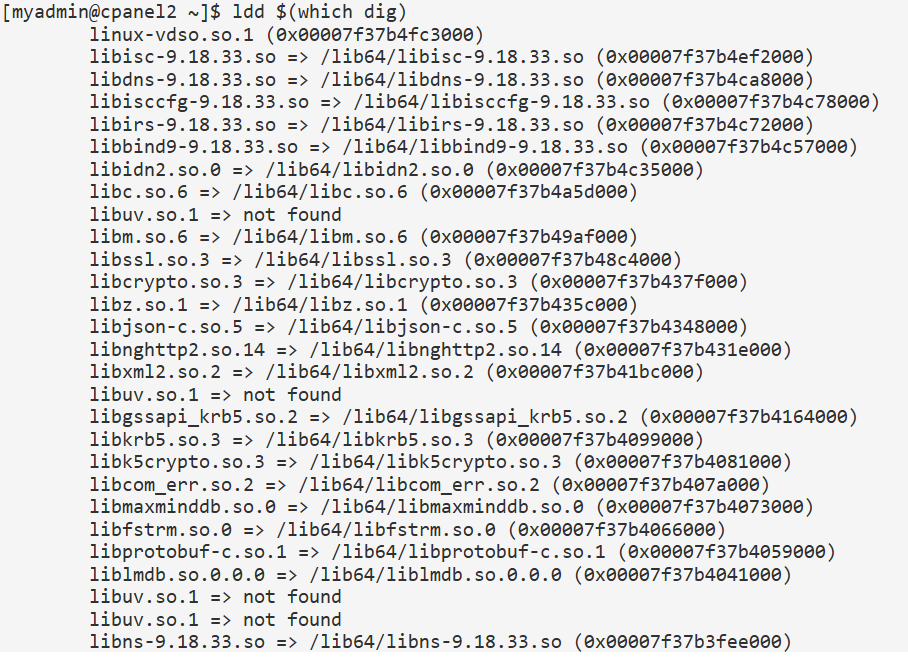
Log in to any site and run dig or nslookup
- Enable debug mode (
cpcmd config_set apnscp.debug true). Restart backend by hand,
cd /usr/local/apnscp/bin ; ./bin/apnscpd -f restart
This will give more information including backtraces.

Fresh install on EC2, Rocky Linux 10, transferred a couple sites and getting odd DNS behavior. Logged into to one of the sites via dev → terminal and getting these errors.